> ## Documentation Index
> Fetch the complete documentation index at: https://docs.1capture.com/llms.txt
> Use this file to discover all available pages before exploring further.
# Color Picker
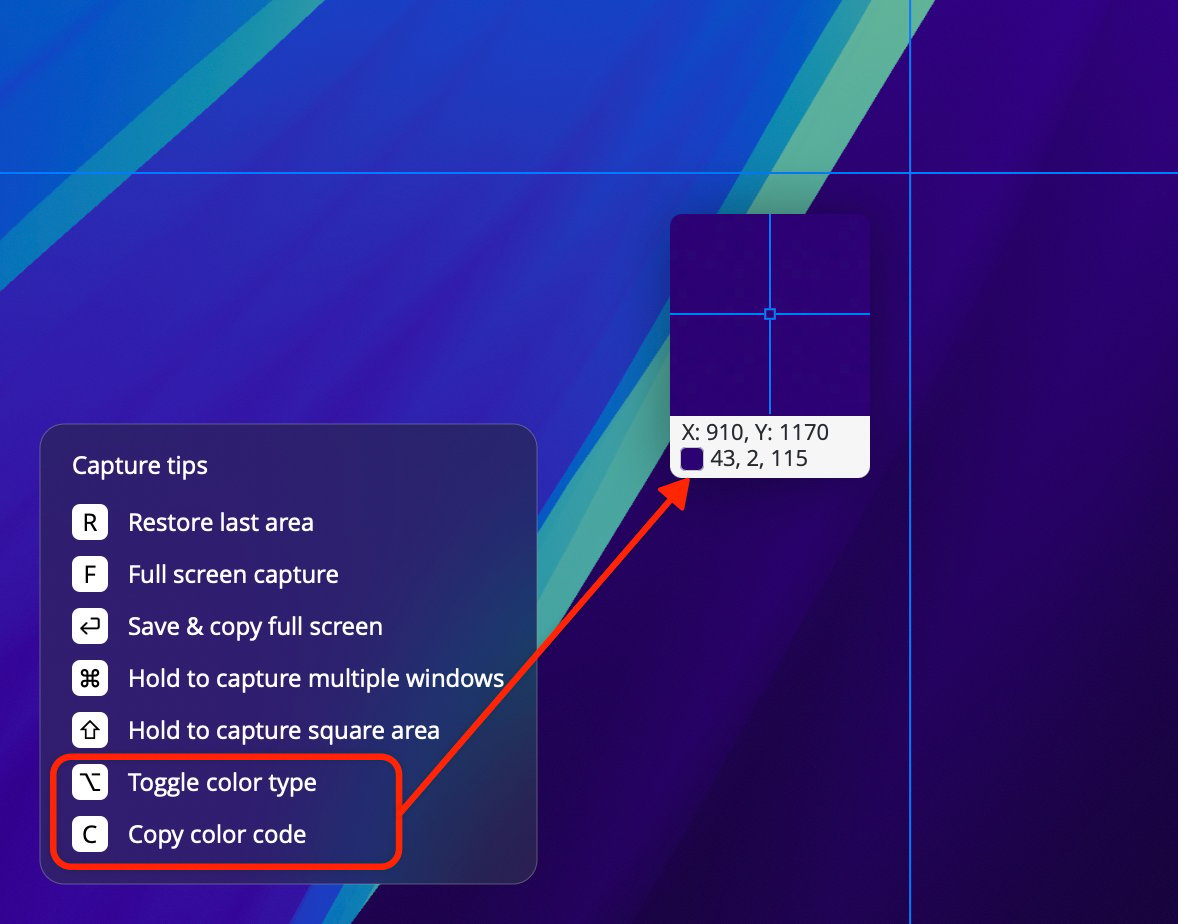
1Capture supports quick color picking. Press the screenshot shortcut to enter capture mode. A preview window appears next to the cursor. The first line of the preview window shows the screen coordinates, and the second line displays the color value at the current cursor position.
Currently, Hex, RGB, and HSL color formats are supported. Press Option to switch between color formats, and press C to copy the color value.